Is there an AI that can see your screen and talk to you?
Yes. Ace looks at your screen when you ask and answers out loud in its own voice, with the text alongside. On Windows you hold Ctrl + Shift, on a Mac Command + Shift; say the question while the thing is on screen, then let go. Follow-ups work by voice or by typing in the same conversation, so you can talk through a page without retyping anything.

Free Play: 2,000 credits, no card. Ace by Black Label.

Why talking about the screen works
Typing a question about something on screen means describing it first. Saying it is quicker, and because the assistant can see what you see, words like “this”, “that number” and “the second one” still make sense to it. Your eyes stay on the work and your hands stay on the keyboard or mouse, which matters when you are following steps in another window.
Pointing with words
The assistant sees the screen, not your finger, so describe the spot the way you would to someone looking over your shoulder.
- By position: “the box in the top right”, “the third row”.
- By label: “the button that says Export”, “the column called Total”.
- By color or style: “the red warning”, “the text in bold”.
- By content: “the paragraph that starts with However”.
A spoken session, step by step
- Allow the microphone and screen access once, when your operating system asks.
- Open the page, document or app you want to talk about.
- Hold the hotkey, say the question, and let go.
- Listen to the answer or read it, whichever is quicker for you.
- Keep going: “next step”, “say that more slowly”, “what does that word mean?”.
- Switch to typing whenever talking is awkward, without starting a new conversation.
What a spoken exchange sounds like
Say you are setting up a new printer and the maker’s web page is full of choices. A conversation with the page on screen can run like this:
- You: “Which of these downloads do I need for this computer?” Ace reads the list and names the one that matches what is on screen, and why.
- You: “Done. Now the installer is asking about a network port. What do I pick?” Ace looks again, now at the installer, and explains the two options.
- You: “Say that more simply.” The same point comes back in fewer words, without you describing anything again.
Each turn is one look at the screen as it is at that moment, which is why the answers keep up as you click through.
Good moments for voice
- Following setup instructions in one window while clicking through another.
- Talking through a dense chart or table before a meeting.
- Working through a long form one field at a time.
- Finding your way around the menus of an app you have never used.
- Any time your hands are busy and the question is quick.
Where your voice goes
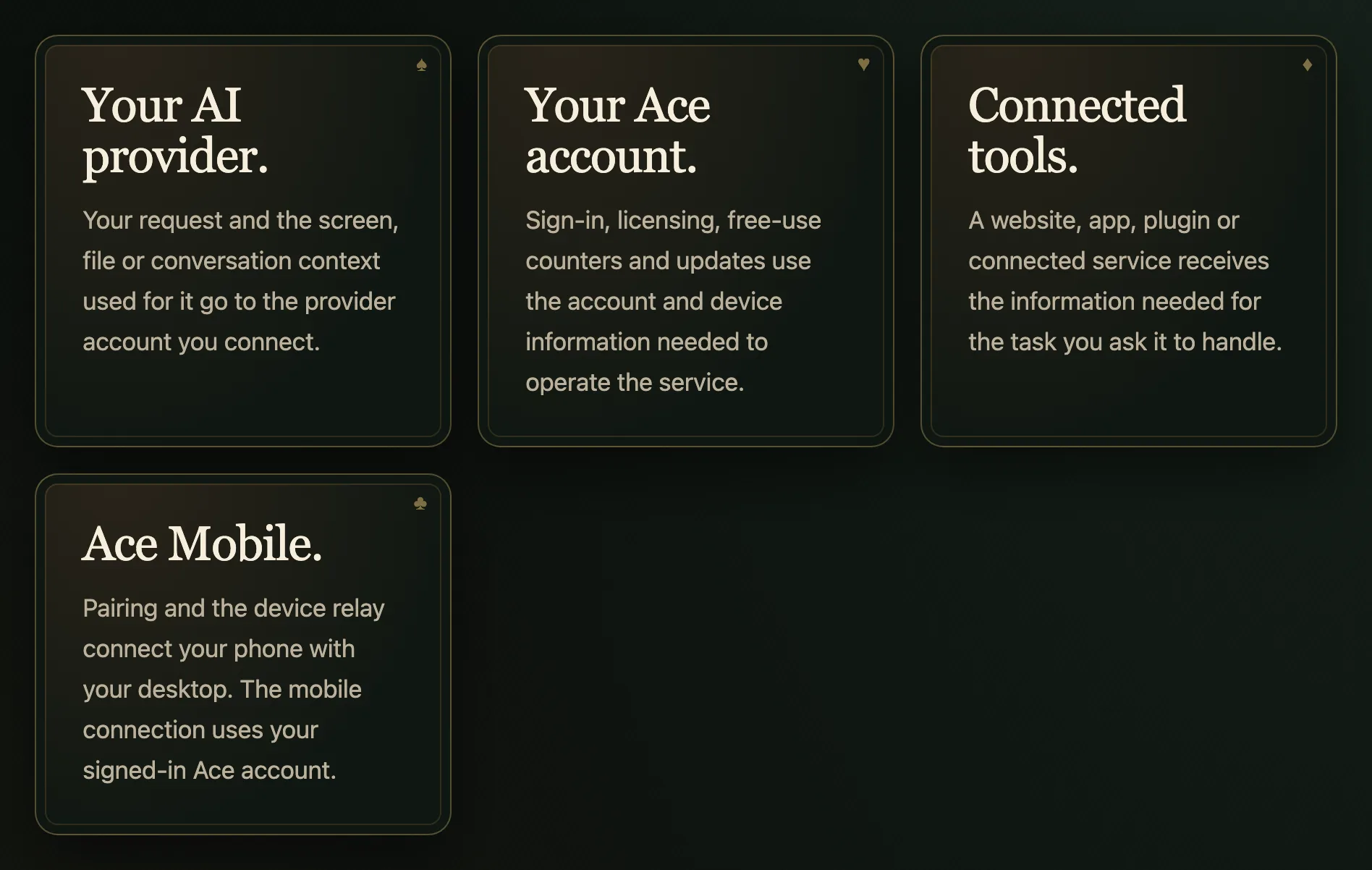
Ace’s privacy policy is specific about this: when you start hosted voice, your microphone audio and the conversation context are sent to the AI provider, OpenAI, to answer your live voice requests, and opening the app or signing in does not by itself start a voice call. The screen context for a question goes to the AI that answers, like any other request. If you would rather not send audio, type instead; the screen help works the same way.
Noisy rooms and headsets
A headset helps in a noisy room, because its microphone hears you more than the room. Say the question in one go and release the hotkey when you finish. If a word was misheard, correct just that word (“I said invoice, not invite”) rather than repeating the whole question.
When it gets something wrong
Correct it in plain words: “that is the wrong chart, look at the one on the right”, or “you read 1.5, it says 15”. The next answer takes the correction into account. For figures, names and anything you are about to send, read the text version against the screen before you rely on it.
More from Ace
The full overview of how Ace helps with your screen is on tryacee.com/ai-on-screen.
Also asked
What voice does it answer in?
Ace answers in its own voice, and the same answer appears as text you can read.
Can I use it without a microphone?
Yes. Type the question instead; Ace still looks at the screen when you ask.
Does it listen all the time?
On the desktop you hold the hotkey to talk. Ace’s privacy policy also says that opening the app or signing in does not by itself start a voice call.
Can it see my phone screen while we talk?
On a phone, Ace Mobile works from the camera or a photo you choose rather than reading the screen, and it has voice in the browser on the same account.
Where does my voice go when I talk to Ace about my screen?
To OpenAI, the AI provider for hosted voice. When you start hosted voice, your microphone audio and the conversation context are sent there to answer your live voice requests. The screen context for a question goes to the AI that answers. If you would rather not send audio, type instead; the screen help works the same way.
How do I point at something on screen when I’m talking to it?
Describe the spot the way you would to someone looking over your shoulder, because the assistant sees the screen, not your finger. Name its position, such as “the box in the top right”, its label, such as “the button that says Export”, or its content, such as “the paragraph that starts with However”.
Does a headset help when I talk to a screen AI in a noisy room?
Yes. A headset helps in a noisy room, because its microphone hears you more than the room. Say the question in one go and release the hotkey when you finish. If a word was misheard, correct just that word, such as “I said invoice, not invite”, rather than repeating the whole question.
What do I say when it looks at the wrong chart?
Correct it in plain words, such as “that is the wrong chart, look at the one on the right”, or “you read 1.5, it says 15”. The next answer takes the correction into account. For figures, names and anything you are about to send, read the text version against the screen before you rely on it.
Can it talk me through installing something step by step?
Yes. Say you are setting up a new printer: with the maker’s web page on screen, ask “Which of these downloads do I need for this computer?” and then, when the installer asks about a network port, “What do I pick?” Each turn is one look at the screen as it is at that moment, so the answers keep up as you click through.
When is it easier to talk about the screen than type?
Whenever your hands are busy and the question is quick. Other good moments include talking through a dense chart or table before a meeting, working through a long form one field at a time, and finding your way around the menus of an app you have never used.
Can I say “this” instead of describing what’s on my screen?
Yes. Because the assistant can see what you see, words like “this”, “that number” and “the second one” still make sense to it. Typing a question about something on screen means describing it first, while saying it is quicker, and your eyes stay on the work while your hands stay on the keyboard or mouse.
Can I ask it to slow down or say it more simply?
Yes. Keep going with follow-ups such as “next step”, “say that more slowly” or “what does that word mean?”. Ask it to say something more simply and the same point comes back in fewer words. You can switch to typing whenever talking is awkward, without starting a new conversation.